
My Husband Hated Designing Emails… Until I Showed Him This
The hardest part about email marketing isn’t knowing what to say. It’s getting started.
Staring at a blank screen. Wrestling with the layout. Wondering if it even looks good enough to send. For a lot of business owners, creating an email feels like another project on an already too-long to-do list.
That’s exactly what happened in our house a few weeks ago…
One random Tuesday, my husband Marcus did what he always does before sending an email to his real estate subscribers.
He called me over. “Babe… can you look at this?”
This has become our little routine. He writes the email, I read it over, take his laptop, and re-tweak it so it looks like an email someone actually wants to open.
The problem isn’t Marcus.
It’s the email platform his brokerage uses.
It’s functional. It gets the job done. But designing an email in it? Let’s just say it doesn’t exactly inspire creativity.
Ironically, the very next day I was invited to an exclusive preview of something Flodesk had been quietly working on: Flodesk Studio.
The timing couldn’t have been better.
The moment I saw it, I was blown away. So naturally… I called Marcus over, showed him how it worked, and his immediate reaction was…
“Great.”
😂
Not because he wasn’t impressed. Because he assumed it only worked with Flodesk. In his mind, it didn’t matter how beautiful the emails looked if he couldn’t actually use them.
Fair enough.
But then I attended the full webinar. And they casually mentioned one tiny detail that completely changed everything.
You can export your finished email as HTML and use it with any email platform that supports HTML.
Y’all… His entire attitude changed. Because now this isn’t just another email platform. It’s a way to create beautiful emails without changing the system he already uses.
That’s when I realized… This isn’t just a Flodesk feature. It’s a design tool. And I had to see what it could actually do.
What Is Flodesk Studio?
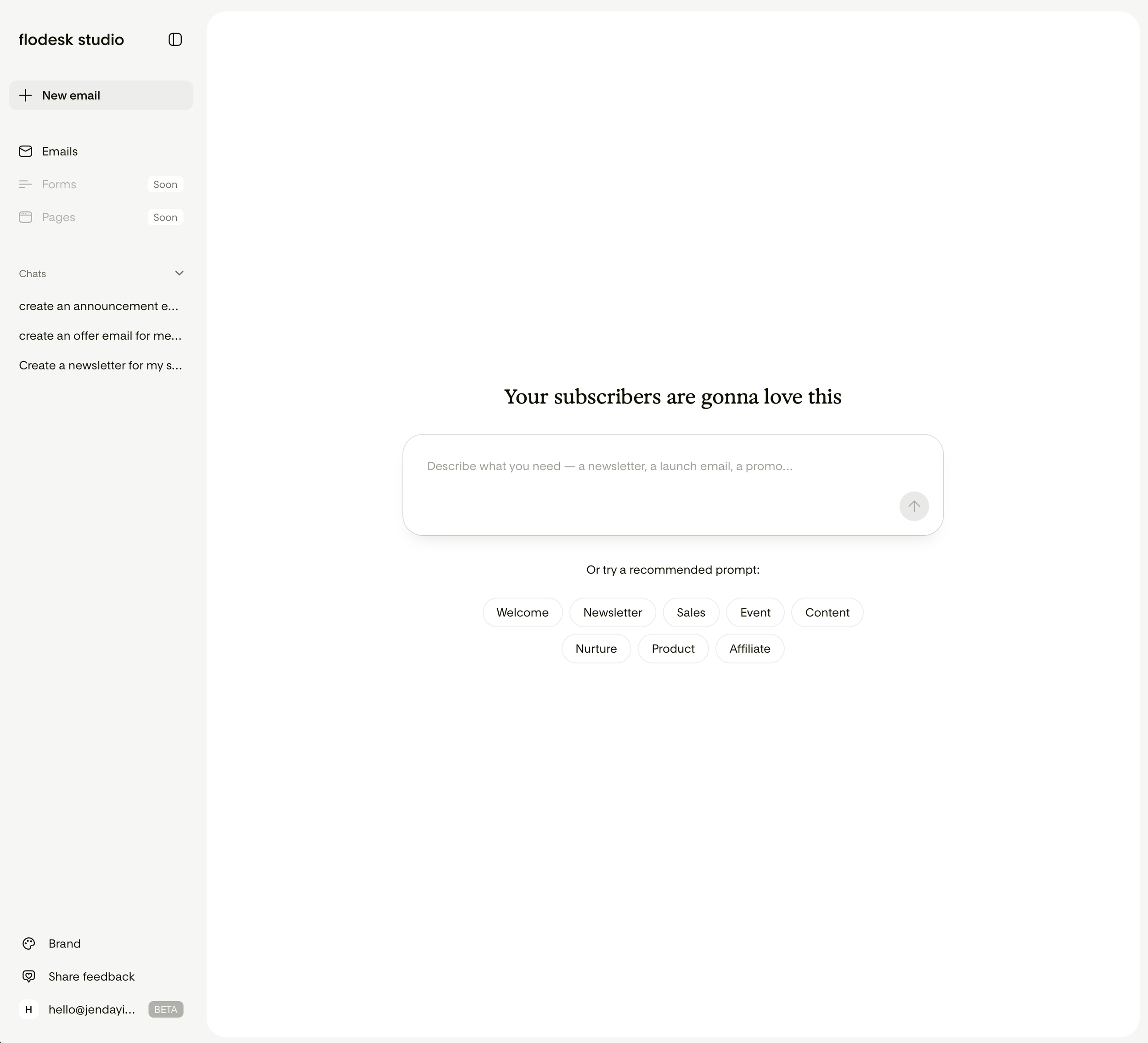
Think of Studio as a creative workspace. Not an assistant. Not a robot writing your emails.
It’s a place where you describe the email you want to create, Flodesk Studio builds the first draft around your ideas, and then you refine it until it feels like you.
That distinction matters – I don’t want AI designing my emails because truthfully, no one can design my emails like me. I only want it to remove the friction between my ideas and a finished email.
So I Tried It.
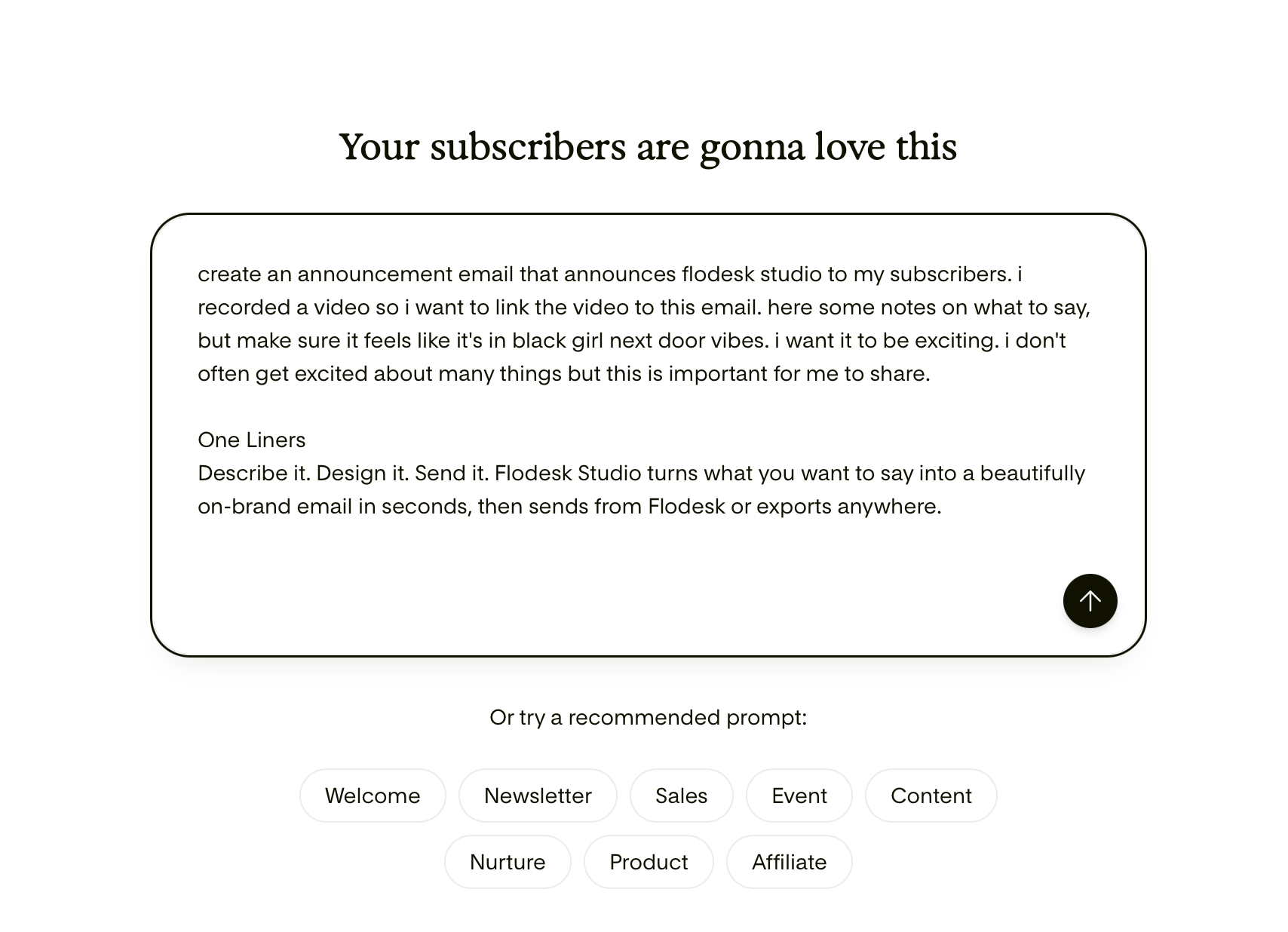
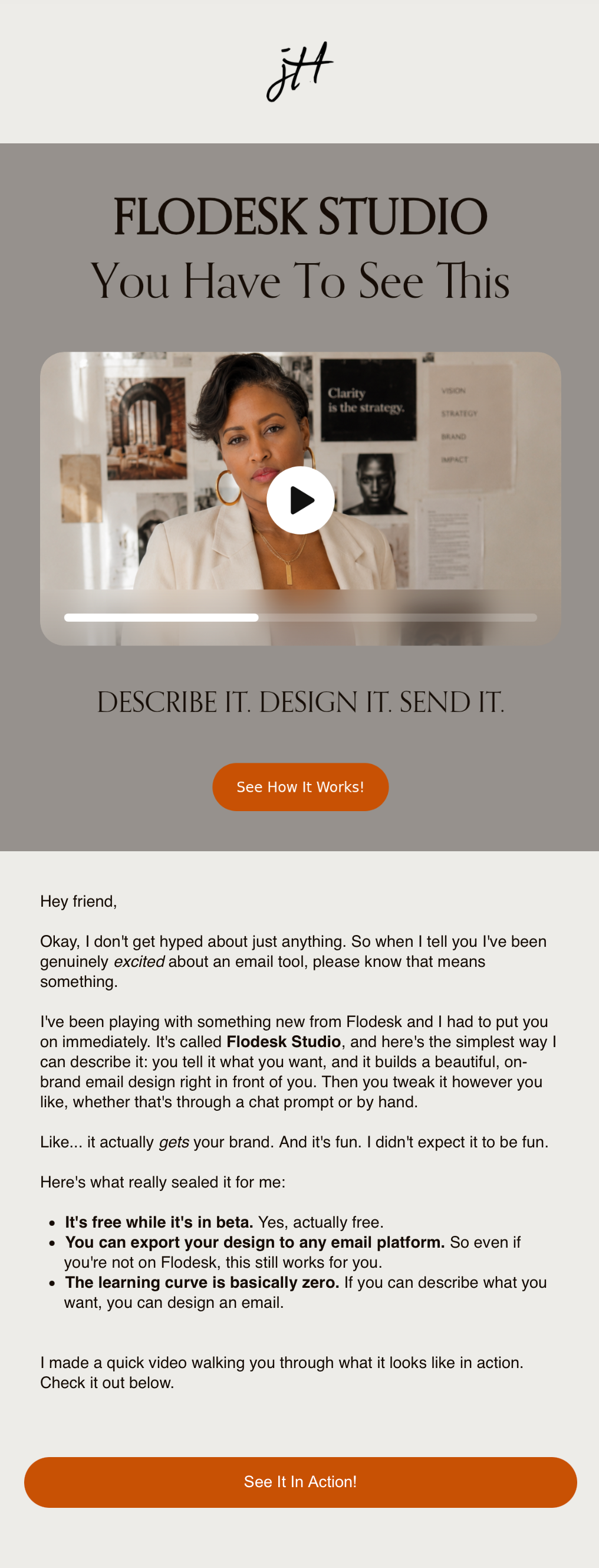
Here was my prompt. I wrote what I needed first, and then copied and pasted in the information Flodesk sent me that would help me share about Flodesk Studio.
One note about prompts. (And this goes across the board for any AI tool.)
Don’t treat AI like Google. This is probably the biggest mistake I see people make.
They’ll type one sentence, and then expect brilliance.
Instead…talk to it. Tell it:
who your audience is
what your business does
your brand personality
what you’re trying to accomplish
how you want people to feel
Write like you’re explaining the project to a new employee. The better the conversation, the better the result.
Then This Happened.
BOOM! Flodesk Studio generated not one but three completely different approaches.
A visual-heavy version.
A banner style.
And a much simpler text-focused email.
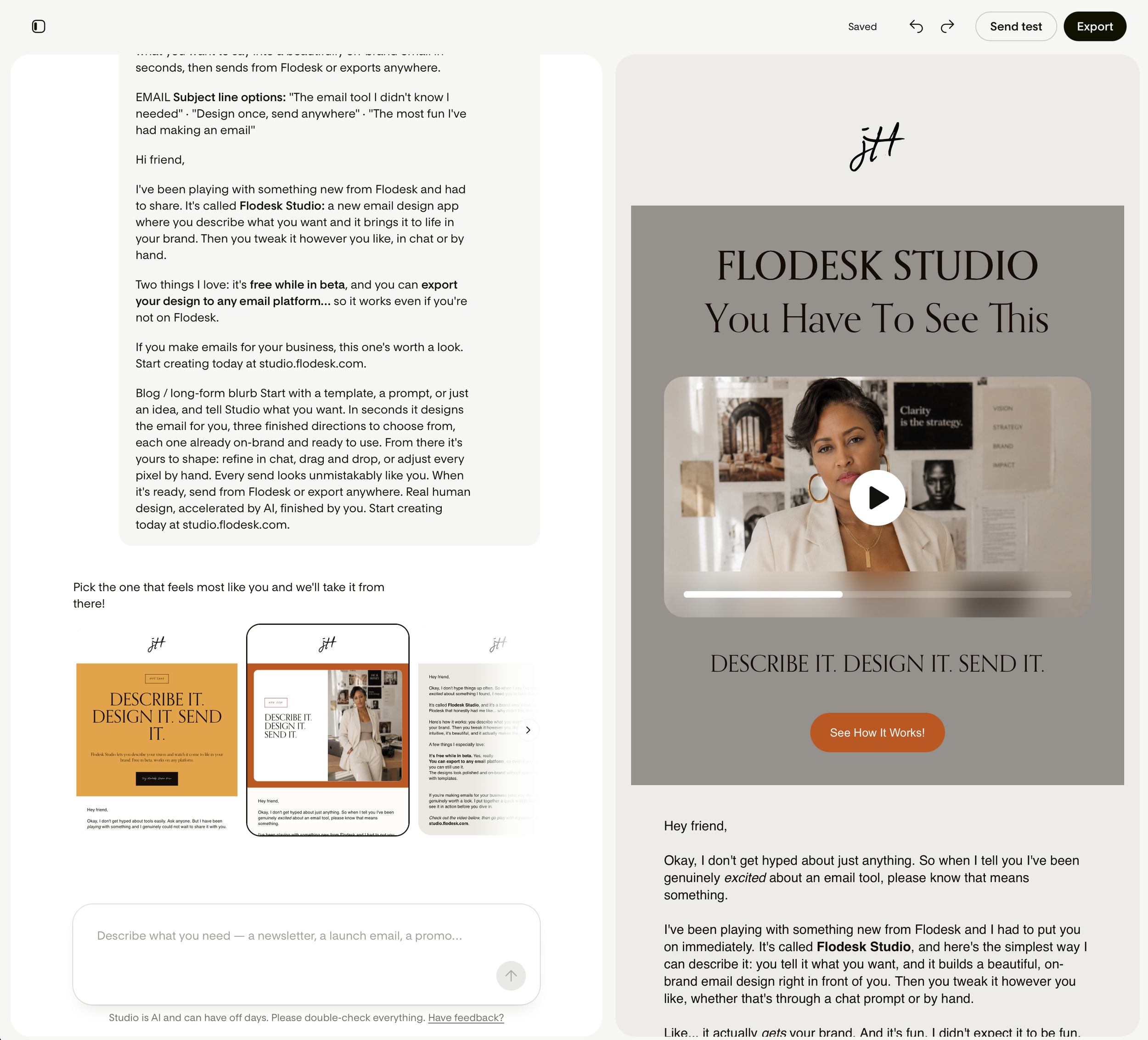
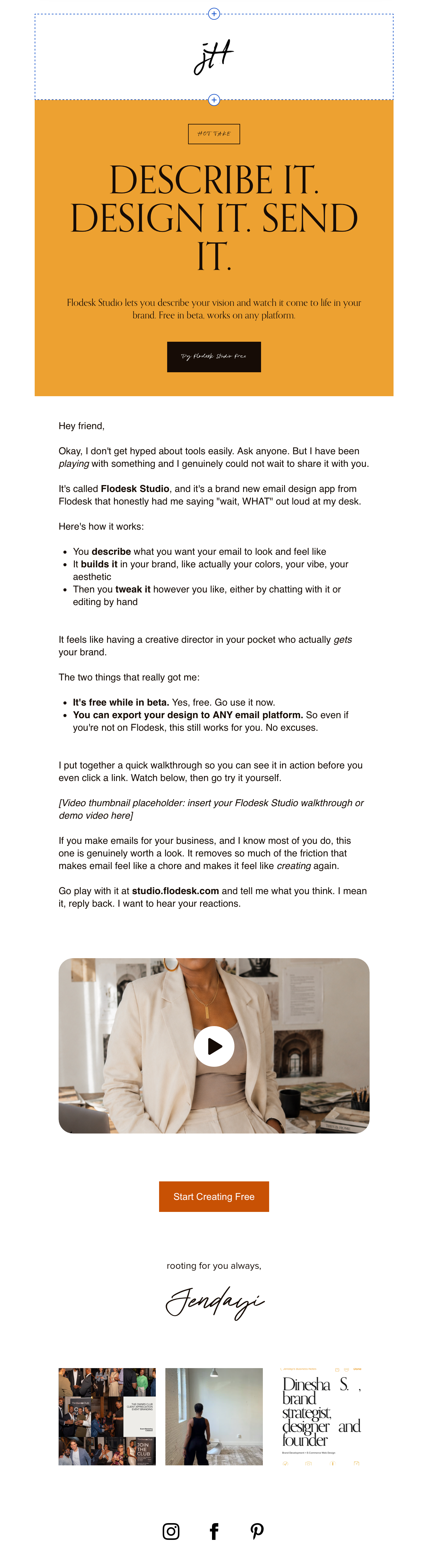
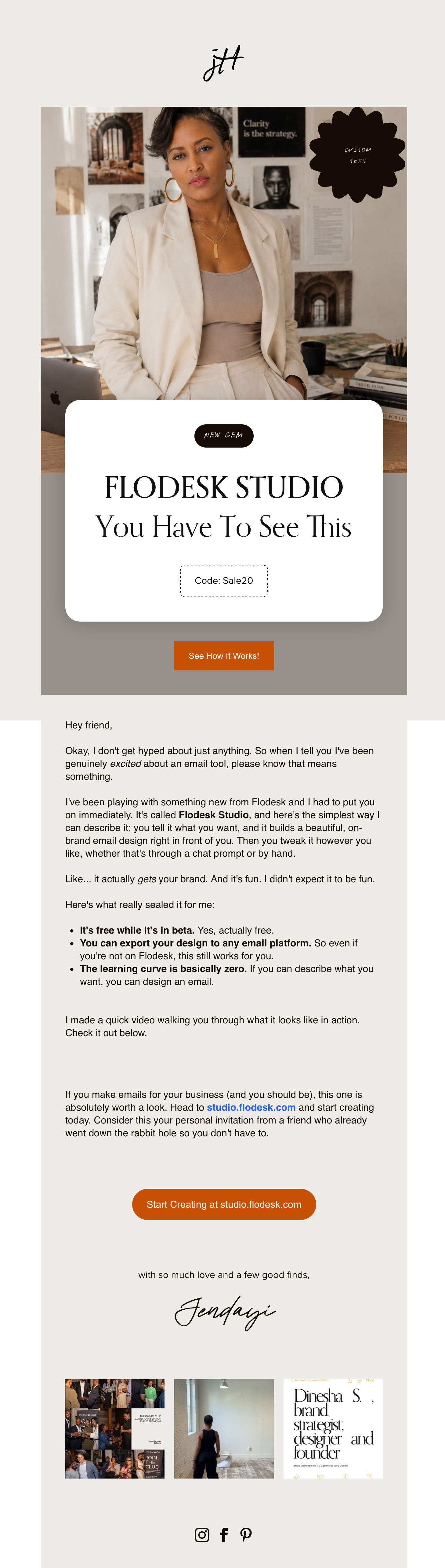
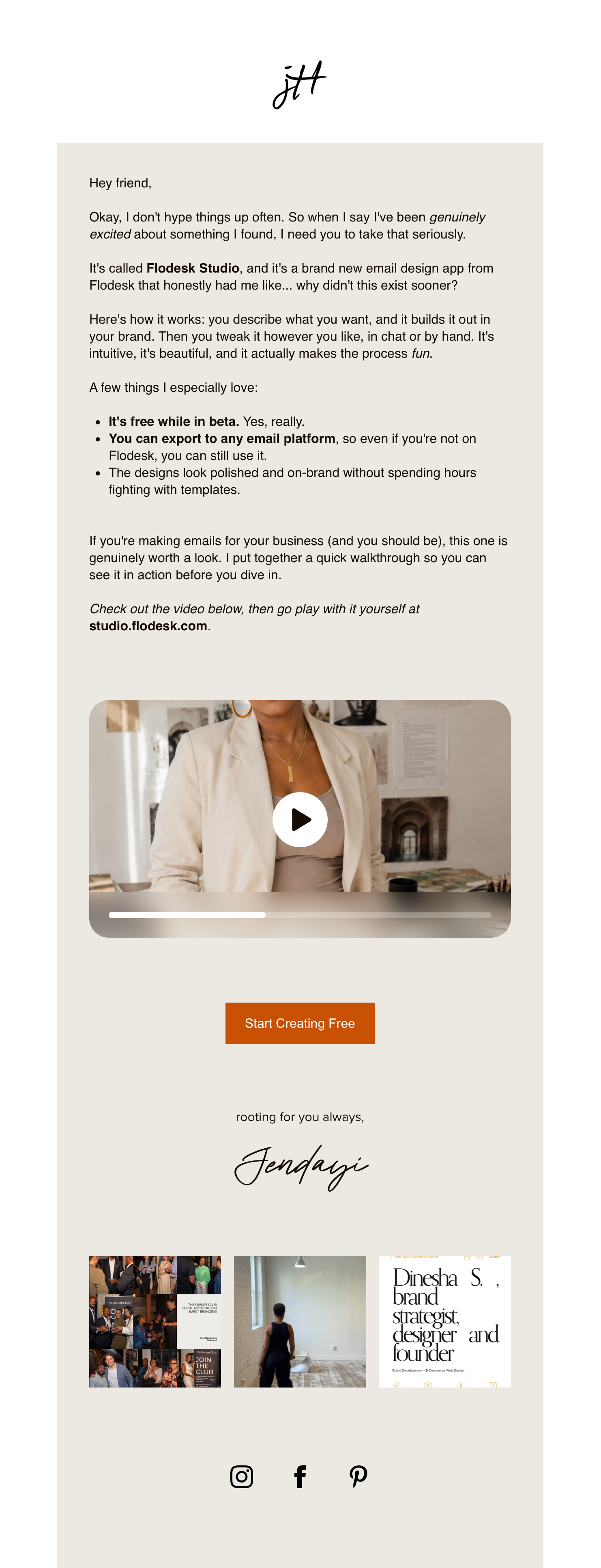
That surprised me. I wasn’t just looking at different layouts… I was looking at different ways to communicate the exact same idea.
Then It Was Time to Make It Mine.
Once Flodesk Studio generated the email, I had the opportunity to refine the design with even more design options than I have in regular Flodesk.com—and that’s where I really started to have fun.
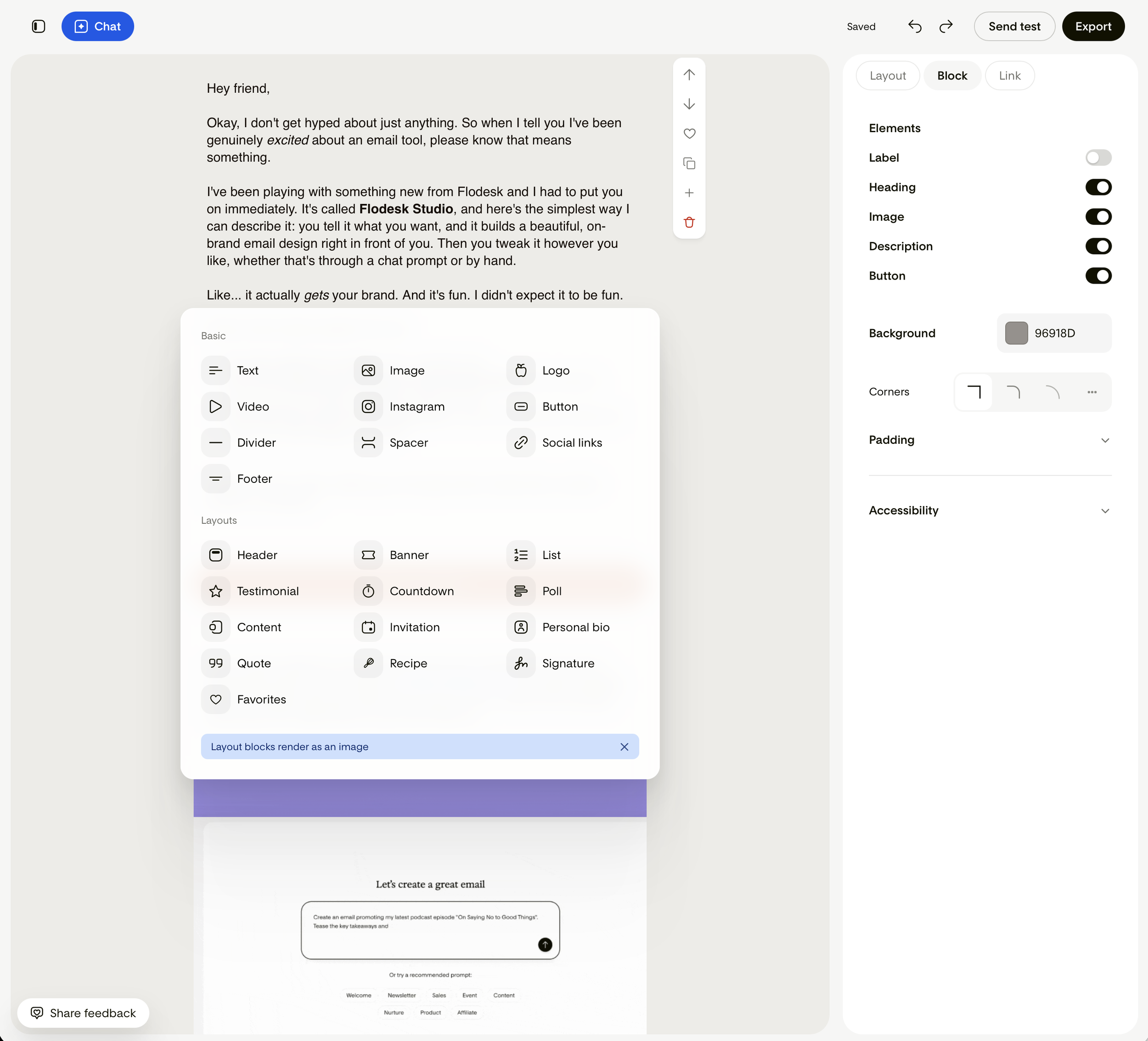
The initial layout was already incredibly strong, but I still wanted it to feel like JAC & Honey.
I adjusted the spacing, swapped a few images, fine-tuned the layout, changed some of the colors and made small design decisions that aligned with the look and feel my audience has come to expect from my brand.
And Here’s The Final Email.
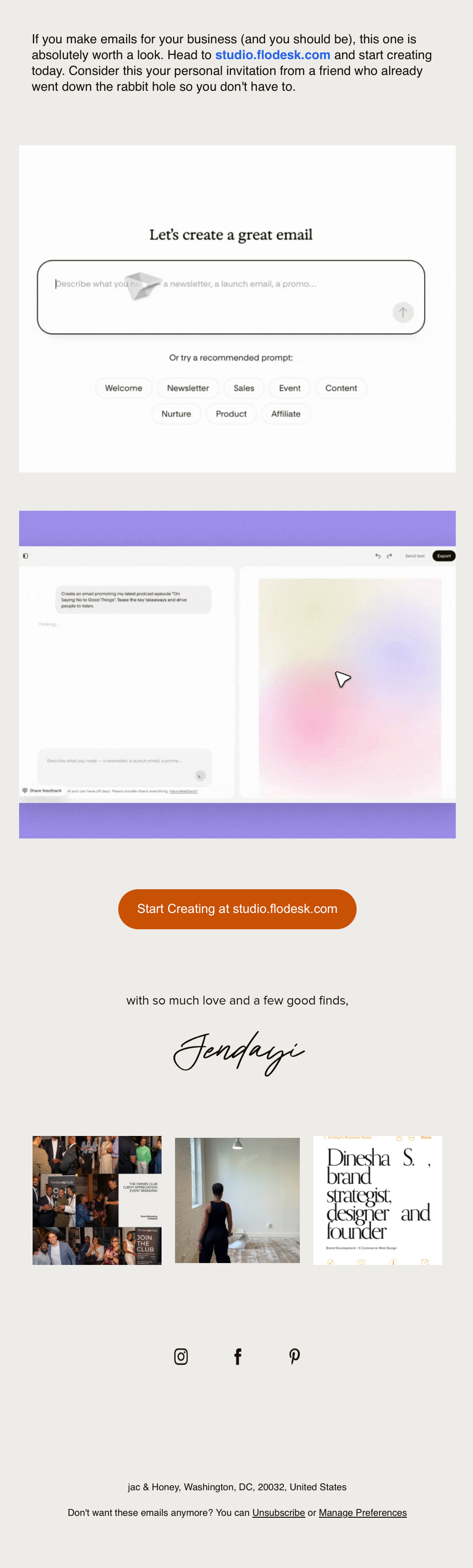
What surprised me most wasn’t just how quickly Studio generated a polished email—it was how much creative control I still had afterward. I could move elements around, change colors, adjust spacing, swap imagery, and continue refining the design until it felt completely on brand. It never felt like I was working against the tool. It felt like I was collaborating with a beautifully designed starting point. That’s a much more enjoyable place to begin than staring at a blank canvas.
I Recorded the Whole Thing…
And, because I knew y’all would want to see it in action. Watch my complete Flodesk Studio walkthrough here. In the video, I design an entirely new email from scratch so you can see the full process in action.
Final Thoughts
If you’re really understanding what is happening here, this is 100% revolutionary. This isn’t just another AI product. It’s another step toward making good design accessible.
Not everyone has a designer.
Not everyone knows HTML.
Not everyone wants to spend two hours building an email.
Flodesk Studio gives people a professional starting point without taking away their creativity. And I think that’s a really important difference. It doesn’t replace good writing. I don’t think it even replaces strategy. And I definitely don’t think it replaces your brand voice.
What I do think…is that it removes one of the biggest obstacles in email marketing: GETTING STARTED.
And sometimes…that’s all we need.
Want to Try It?
Flodesk Studio is currently free while it’s in beta, and absolutely think KNOW it’s worth playing with.
Whether you’re already using Flodesk or another email platform, you can design your email in Flodesk Studio and export the HTML to platforms that support it.
And that’s pretty incredible friend!
Oh! If you decide to join Flodesk afterward, I’d love it if you used my partner link—it helps support my business while costing you nothing extra. Thanks!
